The short answer
Use a cross-platform clipboard app that works on both. With Linkeja, text you copy on your PC appears on your iPhone, and text you send from your iPhone lands on your PC's clipboard, ready to paste with Ctrl+V. It also sends photos and files both ways. Everything is end-to-end encrypted, so nobody else — including us — can read it.
Try it now — free
Open Linkeja on both devices in the browser, or install the Windows app for automatic sync.
Why there's no built-in way
Apple's Universal Clipboard only connects Macs, iPhones and iPads signed in to the same Apple account. Windows' own clipboard history syncs between Windows PCs, and Microsoft's phone tools connect best with Android. So an iPhone and a Windows PC — one of the most common combinations, often a personal phone and a work computer — have no shared clipboard.
Apple has said it is working on one: it aims to finish iPhone–Windows copy and paste by fall 2027, with a release planned in the European Union (Engadget, August 2026). Until then — and outside the EU — you need another way.
The usual workarounds (and why they're annoying)
- Emailing yourself — slow, clutters your inbox, and puts private text on mail servers.
- Messaging apps (“note to self” chats) — several steps every time, and the history lives in someone else's cloud.
- Notes or cloud drives — fine for documents, clumsy for a link or a code you need in five seconds.
Step by step with Linkeja
- On your PC: install Linkeja from the Microsoft Store — or just open the web app if you can't install anything — and create a free account.
- On your iPhone: open the Linkeja web app in Safari and sign in with the same account. Tap Share › Add to Home Screen so it opens like an app.
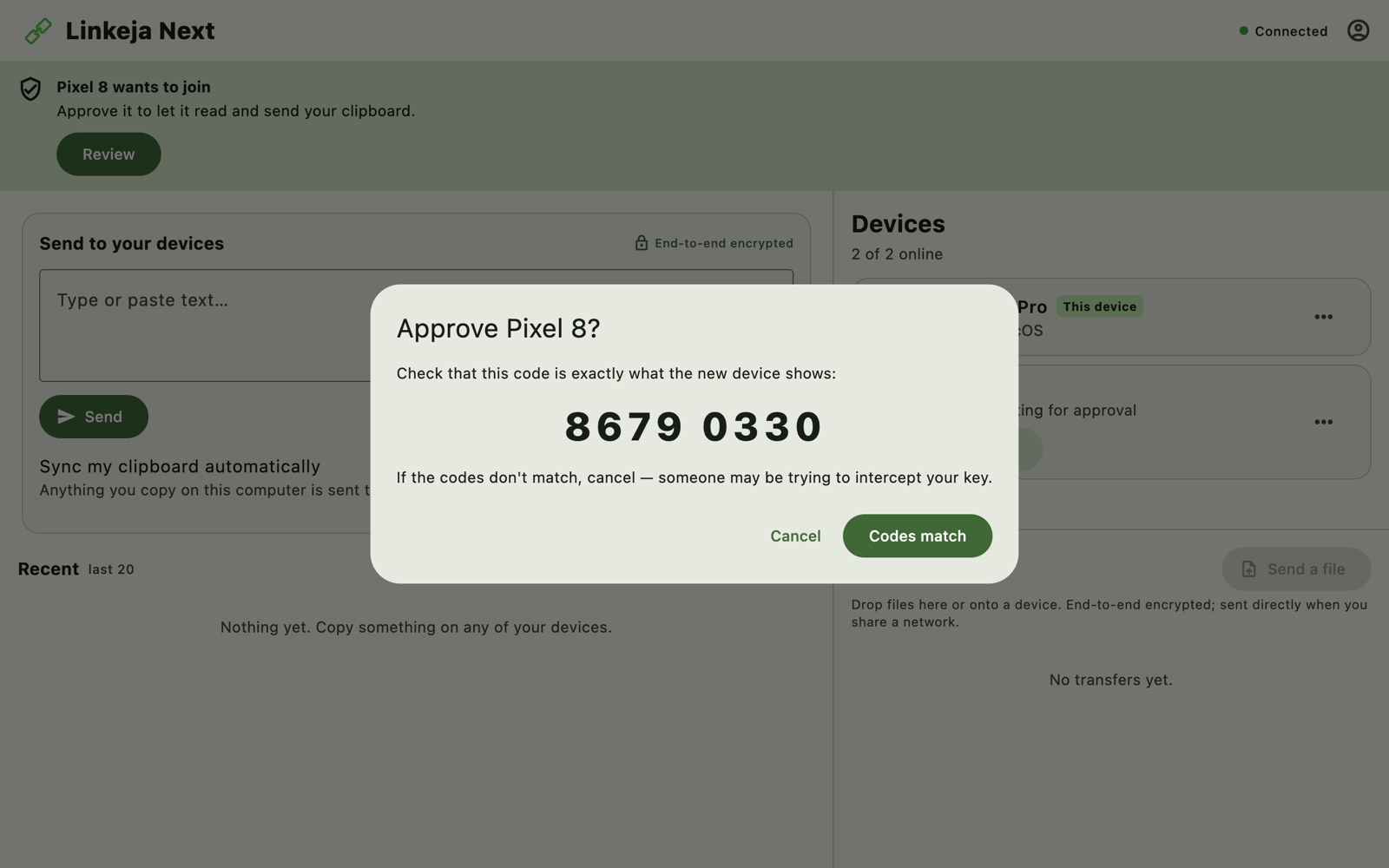
- Approve your iPhone: your PC shows “… wants to join”. Click Review, check that both screens show the same 8-digit code, and click Codes match. This is what keeps anyone else out.
- Copy and paste:
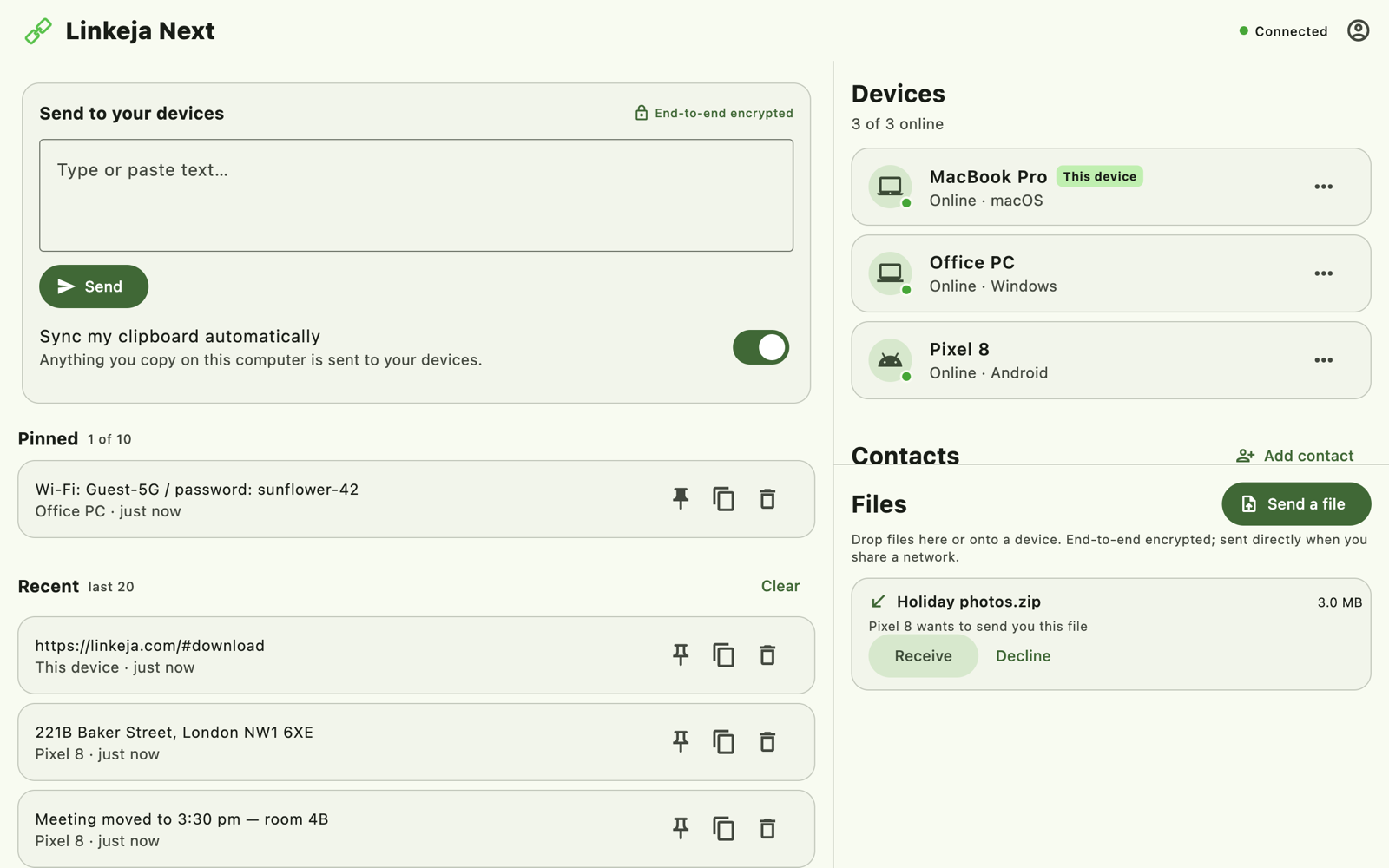
- PC → iPhone: copy anything on your PC. It appears in Linkeja on your iPhone; tap the copy button and paste wherever you like.
- iPhone → PC: paste into Linkeja's box on your iPhone and tap Send. With the Windows app it's already on your PC's clipboard — just press
Ctrl+V. In the web app, click its copy button first.
Why the iPhone needs a tap: iOS doesn't let any app read your clipboard in the background. On your PC, the Windows app does it automatically.
Send photos and files too
Click Send a file (or drag a file onto the Linkeja window) and pick your iPhone; on the iPhone, choose a file and send it to your PC. Files to and from the iPhone travel through our relay, still end-to-end encrypted, and are deleted as soon as they're delivered. (Between two devices with the installed app on the same Wi-Fi, files go directly instead.)
Is it safe for passwords and codes?
Your clipboard often holds passwords, one-time codes and private messages, so Linkeja encrypts everything on your device before it leaves, with a key only your approved devices hold. Our server only ever sees locked data. See exactly how it works.
Common questions
Do I need to install anything on the PC?
No — the web app works in any modern browser, which is handy on a work or school computer. Installing the Windows app adds automatic sync, so copying on the PC needs no clicks at all.
Does it cost anything?
No. Linkeja is free, with no ads.
What about Android, Mac or Linux?
The same account works on all of them: Android and Linux have apps, and Mac works in the browser today. See the full guide.
Try Linkeja free
Open it in your browser — nothing to install — or get the apps for automatic clipboard sync.