The short answer
Open the Linkeja web app in the computer's browser and sign in. Approve it from your phone, and you can send photos, documents and anything else between them — no installer, no admin rights, no USB cable, no emailing files to yourself. When you're done, remove the computer from your device list and it's signed out immediately.
Try it now — free
Open the web app on the computer, and Linkeja on your phone.
Step by step
- On your phone: install Linkeja from Google Play on Android, or open the web app in Safari on iPhone. Create a free account.
- On the computer: open the Linkeja web app in any modern browser and sign in with the same account.
- Approve it: your phone shows “… wants to join”. Tap Review, check that both screens show the same 8-digit code, and confirm. Nothing is shared with the computer until you do.
- Send: click Send a file, pick the file and choose where it goes. The other device clicks Receive — in a browser the file arrives as a normal download.
- When you leave: open the … menu next to the computer in your device list and choose Remove. It's cut off at once, even if you forgot to sign out.
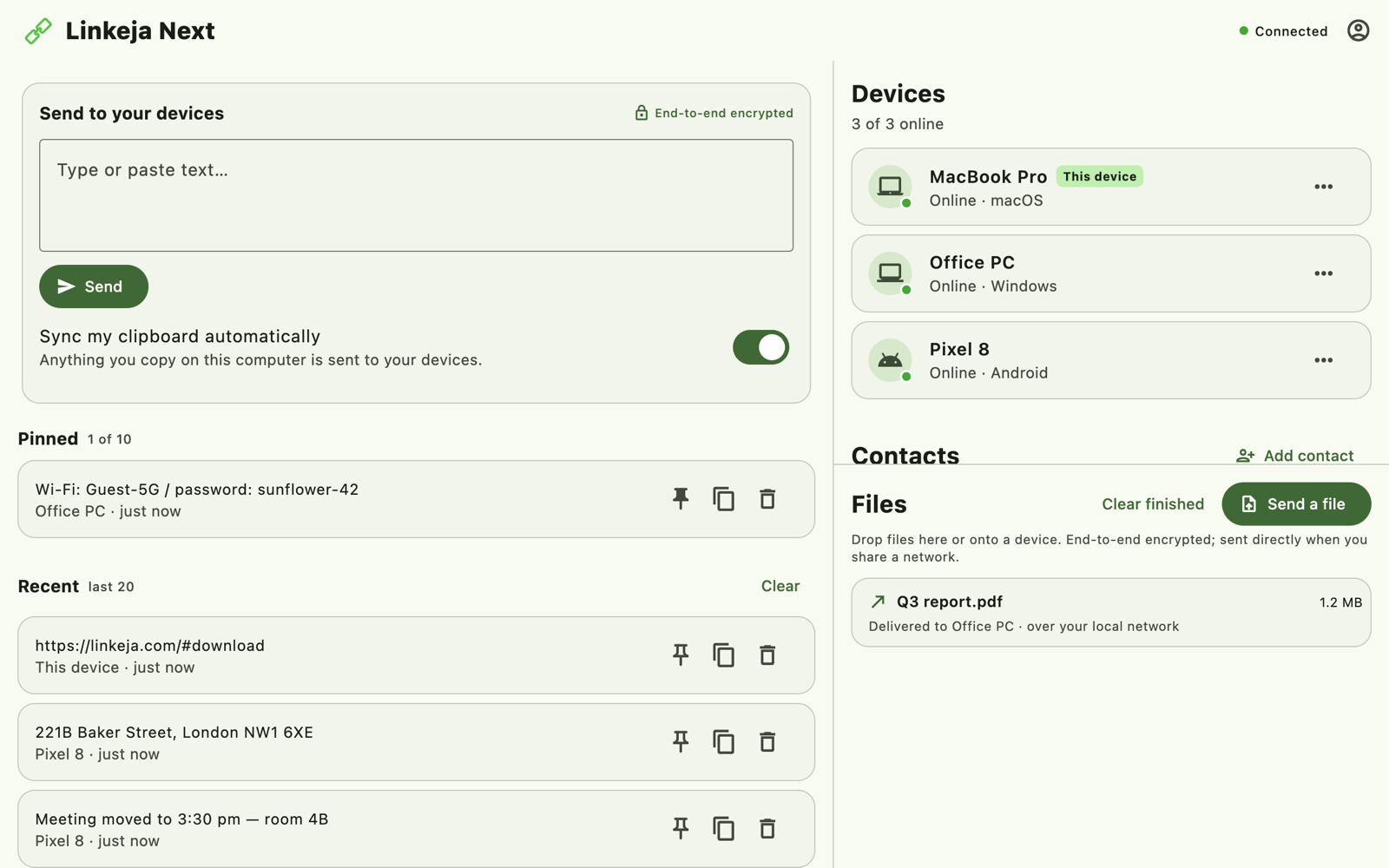
How the files travel
- From a browser, files go through our relay, end-to-end encrypted, and each piece is deleted as soon as it's delivered. A browser handles files up to 512 MB.
- Between the installed apps on the same Wi-Fi or network, files go straight between the two devices at full local speed and never leave the network. On different networks they use the relay. The free plan handles up to 2 GB per file through the relay, with no limit for direct transfers.
Why this is safe on a shared computer
- You approve it. A computer only gets access after you confirm the matching code on your phone.
- You can cut it off from your phone. Removing a device signs it out immediately, wherever it is.
- Everything is encrypted on the sending device and opened only on the receiving one. Our server never sees your files' names or contents. See how it works.
Copy text, too
The same tab also shares your clipboard: paste a link or a code on one device and copy it on the other. Copying between iPhone and Windows works the same way.
Want it on your own computer?
On your own Windows or Linux PC, install the app (downloads). It syncs your clipboard automatically and starts quietly with your computer.
Try Linkeja free
Open it in your browser — nothing to install — or get the apps for automatic clipboard sync.